
Redesigning your website can be a big (and exciting) step, but diving in without a plan can lead to wasted time, misaligned goals, and a result that doesn’t solve the right problems.
Whether your current site feels outdated, clunky, or just “off,” a strategic audit before you redesign can make all the difference. By pinpointing the problems on your site, you uncover the issues that might be holding it back from reaching its full potential.
Here are six essential things to review before jumping into a website redesign — so you can make informed decisions, not just pretty ones.
1. Your goals: What should this website actually do?
Before considering colours or layout, ask: Why are you redesigning in the first place?
Are you trying to:
- Increase enquiries or sales?
- Better reflect your brand?
- Improve SEO or performance?
- Simplify your content?
- Shift your offerings?
Your goals will determine everything — from layout and navigation to copy and functionality. A homepage for a consultant will look and work very differently from an e-commerce store. Your website goals should align with your business objectives, helping to create a more impactful and purpose-driven online presence.
📌 Tip: Write down your top 1–3 goals and keep them front and centre throughout the redesign process.
2. Your branding: Is it still relevant and consistent?
If your visual identity has changed — or needs to — your website has to reflect that. But even if your logo and colours haven’t changed, take a step back and ask:
- Does my website align with the rest of my brand’s look and feel?
- Are fonts, colours, and tone consistent across channels?
- Does my website still reflect who we are now?
Brand misalignment is a common (and costly) problem. A redesign is the perfect time to fix it — or even refresh your visual identity altogether.
And if you don’t have any branding in place yet? That’s not uncommon, especially for businesses that have grown quickly or built their first site on a shoestring budget. But this is the perfect opportunity to invest in a proper brand identity. Even a simple, well-thought-out visual system (logo, colours, fonts, tone) will give your new website the clarity, consistency, and polish it needs to feel professional and trustworthy.
3. Your content: Does it say the right things to the right people?
Often, the biggest website problem isn’t the design — it’s the copy. Clunky, vague, outdated, or overly self-focused content can tank conversions.
Audit your current content by asking:
- Is this messaging clear, relevant, and client-focused?
- Does it speak to my ideal audience and their pain points?
- Is there too much? Too little? Is anything outdated or redundant?
- Is it well structured and organised?
If the answer is “it’s not terrible, but…” — that’s your sign to work with a copywriter during your redesign. Website copy not only needs strategy and structure, but the right tone of voice. Your content should be clear and relevant, emphasising SEO and aligning with user intent to truly engage your audience and persuade them to take action.
4. User experience (UX): Is it easy to use and navigate?
Look at your website from a visitor’s perspective:
- Is it obvious what I do and who I help?
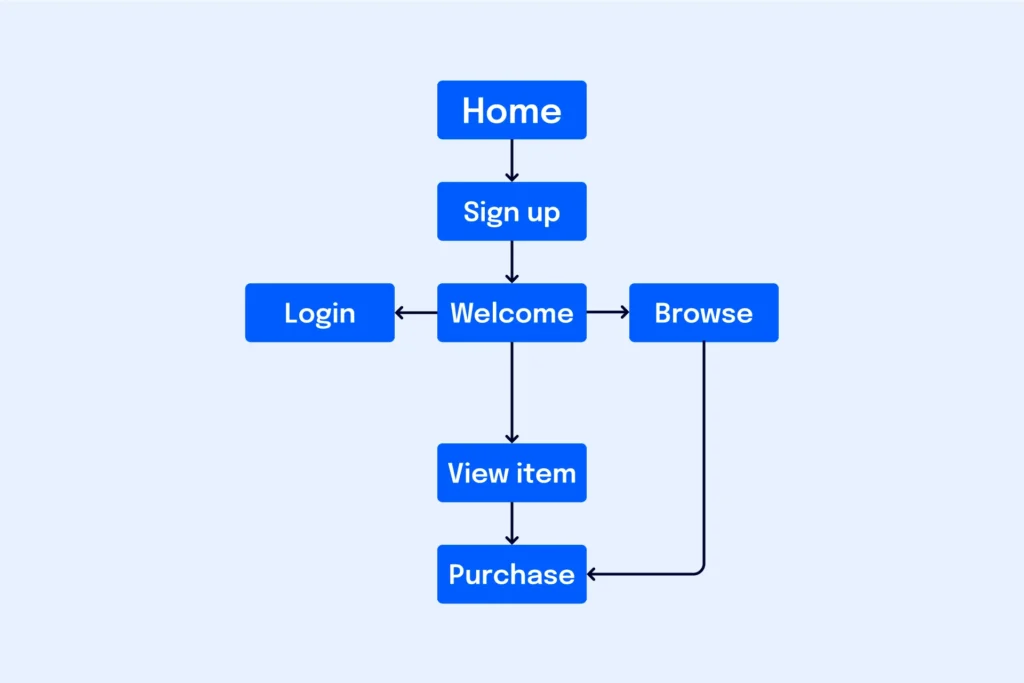
- Can someone find what they need in just a few clicks?
- Are the menus, buttons, and contact points intuitive?
- Does the mobile experience feel smooth and natural?
Poor UX is one of the biggest reasons people exit websites — and it’s one of the easiest to overlook when you’re close to your content.
5. Website performance: Is it fast, functional, and search-friendly?
You could have the most beautiful website in the world, but if it takes too long to load or doesn’t work properly on mobile, people will bounce.
Things to check:
- Mobile-friendliness
- Page speed
- Broken links or images
- SEO basics (meta tags, headings, alt text, internal links)
- Analytics setup (are you tracking anything?)
If you’re not sure how to check these, a web designer or developer can help with a performance and technical audit.

6. Conversion points: Are you guiding visitors toward action?
Every page on your site should have a purpose. Whether it’s booking a call, sending an enquiry, or making a purchase, your website should gently lead people in the right direction.
Ask yourself:
- Are my calls to action (CTAs) clear and compelling?
- Is there a next step on every key page?
- Are my forms easy to fill in?
- Am I collecting the right leads?
Your design should support these moments, not bury them.
Final thought
A website redesign isn’t just about a new look. It’s about aligning your site with your business goals, brand, audience, and user experience.
Taking the time to audit these six areas will help you redesign smarter — and build a site that performs, not just impresses.
Thinking about a website redesign?
Let’s take a look at what’s working, what’s not, and how to turn your site into a powerful business tool. Get started by filling in the project enquiry form.


